- Click or tap a square: Cycle through empty, cat, and X.
- Right-click or long-press: Mark a square with an X directly.
- Undo button or Ctrl + Z: Reverse the previous move.




















Meowdoku
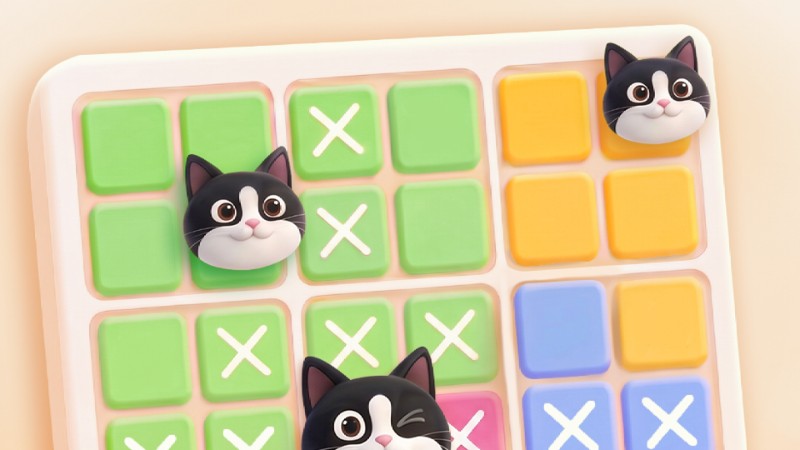
Meowdoku is a cat-themed logic puzzle where every row, column, and colored region needs exactly one cat. There’s one more rule: two cats can never touch, even diagonally. A square that looks perfect for one cat might leave another region with nowhere to go. Mark the squares you can rule out, place cats where the clues leave only one option, and work through the grid one deduction at a time.
Find the Squares Where Cats Have to Sit
Before placing a cat, scan the grid for the region with the fewest possible squares.
Start With the Tightest Region
Look for a region with just one possible square. Once you place its cat, rule out the other squares in the same row, column, and region. Mark the surrounding squares too, including the four corners. Then scan the board again. Those new X marks can leave another row, column, or region with only one candidate.
Use the Shape of Each Color Region
If every available square in a colored region lies in the same row, that region’s cat has to occupy that row. You can cross out the row’s squares in other regions before you know exactly where the cat will sit. The same deduction works for a column. This is a good move to look for when every region still has several open squares.
Solve the Daily Grid or Try a Bigger Board
Daily mode gives everyone the same 7×7 puzzle, so you can compare times on the same layout. Unlimited mode offers 5×5, 7×7, and 9×9 boards. Start with a 5×5 to get comfortable spotting forced moves, then try a 9×9 when you want more room to work through overlapping clues.
Controls Guide
- Click or tap a square: Cycle through empty, cat, and X.
- Right-click or long-press: Mark a square with an X directly.
- Undo button or Ctrl + Z: Reverse the previous move.