





















Unbox the Room
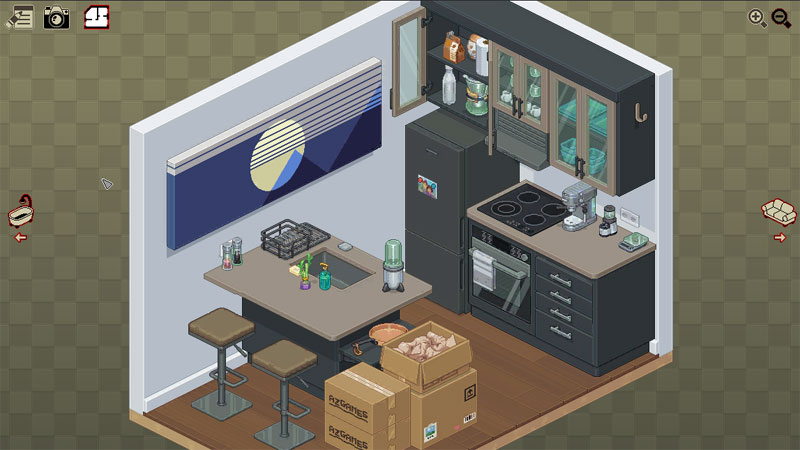
Part cozy organization simulator and part environmental narrative, Unbox the Room turns unpacking cardboard boxes into an intimate puzzle-solving experience. Opening sealed movers' boxes and arranging personal belongings reveals a subtle story arc that tracks the protagonist’s life shifts across changing apartments, evolving hobbies, and growing item collections.
Decoding spatial logic and object context clues
Without explicit hint buttons or artificial grid overlays, placing items relies entirely on real-world common sense and environmental context.
Reading clues in daily belongings
Every mug, desk lamp, and framed photo carries inherent placement logic. Toothbrushes belong near bathroom sinks, study textbooks align neatest on desk shelves, and kitchen utensils fit naturally into designated drawer organizers. Observing item groupings inside each box gives immediate hints on which room zone they belong in before you even set them down.
The inspection phase and error correction
Once every box is emptied and placed, hitting the review button triggers a location check. The game highlights misplaced items without handing you the exact solution outright. This end-of-stage feedback loop encourages you to re-examine misjudged objects - like mistaking a bedside reading lamp for a living room end-table light - and swap them into their logical spots.
Life story progression and expanding room layouts
- Life stage chapters: Each new stage represents a milestone year in the main character’s life, transforming student dorm rooms into full multi-room apartments.
- Scaling item density: Later chapters introduce packed storage boxes, complex shelving units, and tricky multi-tier drawer spaces.
- Cozy zen pacing: With no countdown timers or point deductions, you can freely re-organize furniture layouts to build a neat, visually pleasing aesthetic.
Tips for smooth unpacking runs
- Clear desk and shelf surfaces first: Place large foundation items like monitors and bookends early so smaller knick-knacks fit easily into remaining spaces.
- Group items by life context: Keep school supplies, gaming accessories, and personal hygiene items clustered near their corresponding room zones.
- Use red highlights to narrow down options: When the end-of-level check flags an item as wrong, check nearby shelves or adjacent rooms for matching context themes.
How to play
Use the mouse to interact with everything in the game.