

















I Hate This Game
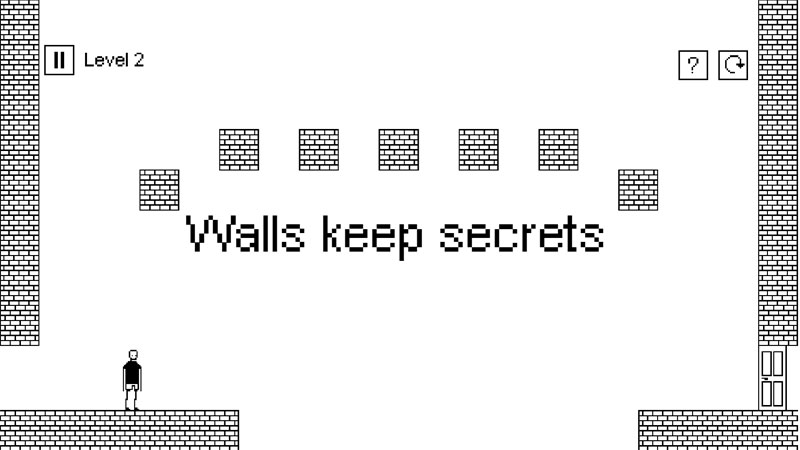
Indie puzzle platformers love to break the rules, but I Hate This Game actively dismantles them. Instead of giving you a fixed set of mechanics to master, every single room alters the physics, the controls, or the interface itself. It’s frustrating, brilliant, and designed to test how well you know your own computer.
Expect the unexpected: How mechanics morph every level
Progression here isn’t about reflexes - it’s about unlearning traditional platformer logic.
- Shape-shifting gameplay: One level behaves like a standard pixel platformer; the next demands you tweak system settings or move windows around your desktop.
- OS-level interactions: Solutions frequently leverage forgotten PC features, requiring you to interact with volume sliders, file directories, or system clocks.
- Deceptive screen clues: Every pixel on screen matters. Background text, UI elements, and even system pop-ups often hide the critical path forward.
Cracking the metagame logic
Beating this game requires shifting your focus away from standard in-game jumps to external hardware and OS functionality.
Thinking outside the application window
When a level feels completely impossible to clear with standard keyboard inputs, stop trying to platform. The solution almost certainly involves looking beyond the game window. Try dragging the game frame, adjusting system audio, or inspecting subtle desktop overlay shifts.
Reading screen elements as interactive hints
An unusual visual artifact or a misspelled word in the corner isn't a bug - it’s a breadcrumb. If a wall seems impassable, hover over screen text or check if UI buttons can be dragged into the playable space.
Essential tips for mind-bending puzzles
- Check your hardware: If your character won't move, try unplugging accessories or tapping keys you wouldn't normally touch in a platformer, like Num Lock or Print Screen.
- Don't ignore audio cues: Subtle pitch changes or static bursts often hint that you're near a hidden clickable zone.
- Minimize and resize: Constantly test how the game reacts to being minimized, alt-tabbed, or switched to windowed mode.
Controls
- Use W, A, S, D to move your character.
- Use the mouse to interact with objects, buttons, and interface elements.